
Your report, without giving up your evening.

From your WhatsApp chats in a single click, a photo of your notes, a dictation or your own entries, prepare a clear report with photos, decisions and actions to follow up. Review it, adjust it, then send it as PDF or Word.

Free during the betaNo credit cardA one-off report or the follow-up of a whole project

Les Tilleuls – Owners' boardWhatsApp · 20/10
Hugo Martin · Board

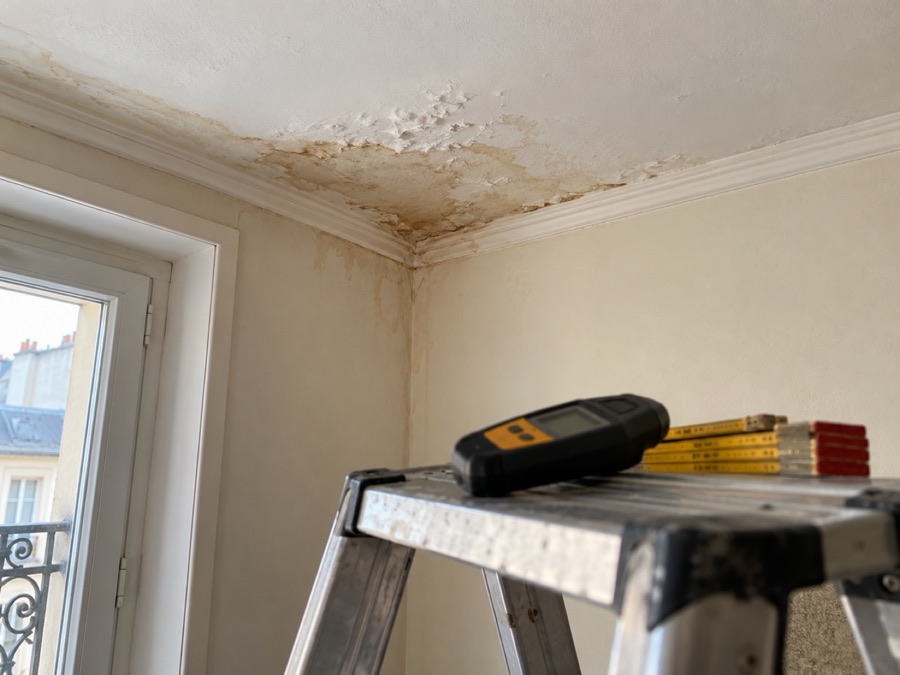
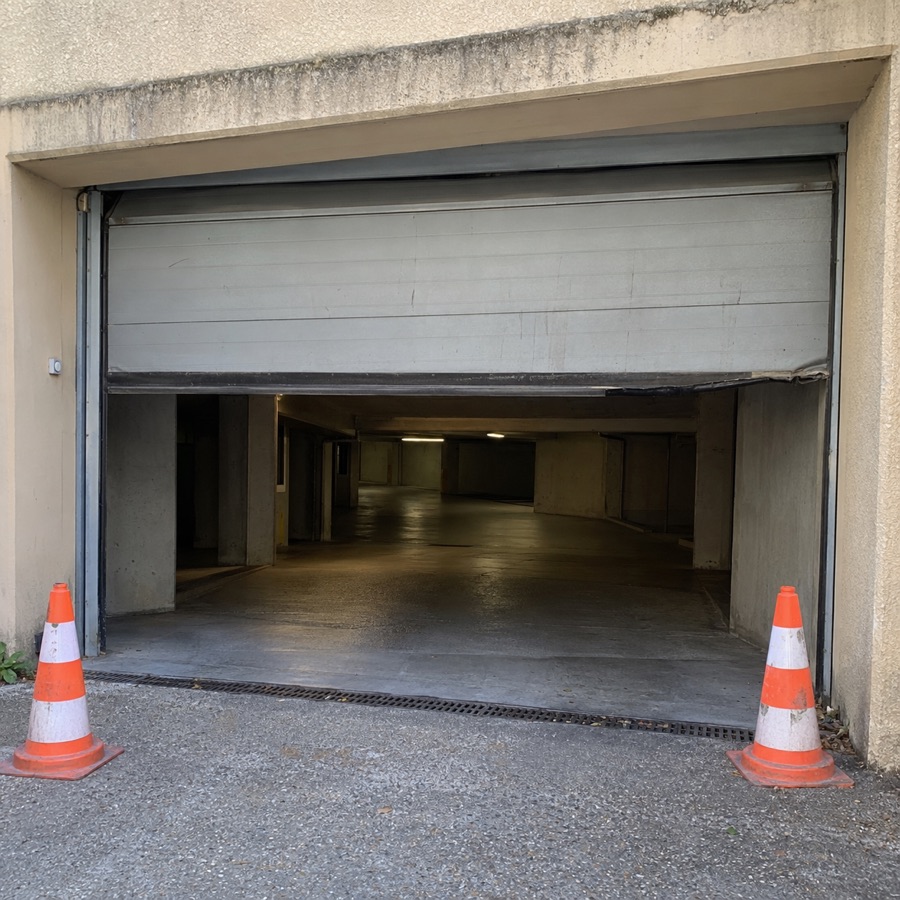
The garage door is stuck half open since this morning. We put two cones in front of it.

Photo sent to the group: the stuck garage door, two cones in front
Sophie Lambert · Property manager

I'm calling Atelier Portes & Accès. Don't walk under the door until the technician arrives.

Sophie Lambert · Property manager

The technician came by: door closed and secured. Worn guide roller, I've received a quote for €460 excl. VAT.

Camille Bernard · Board

The board agrees to the €460 excl. VAT. Will you also check the closing safety?

Report no. 4 · 4 itemsTo review
Building follow-up · no. 4Building update, 20/10/2026
Parking and garage
R1

Garage door stuck halfway since the morning of 20/10. Two cones placed in front of the entrance.

To handleHugo MartinFinding
Photo attached to the item: the stuck garage door
R2

Repair requested from Atelier Portes & Accès. Do not walk under the door until the technician arrives.

In progressCabinet LambertAction
R3

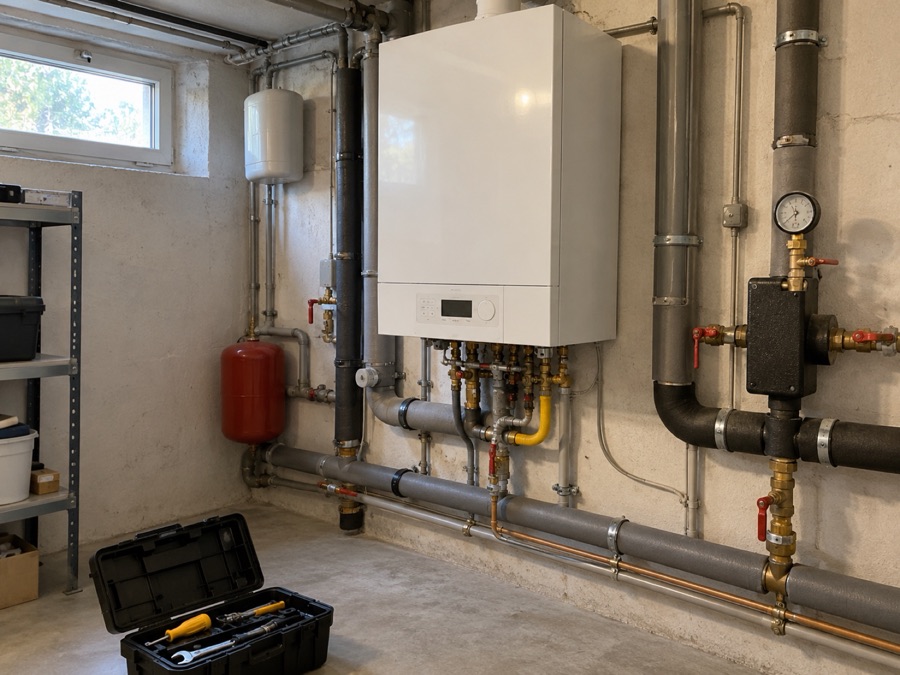
Door closed and secured by Atelier Portes & Accès. Worn guide roller: quote for €460 excl. VAT received by the property manager.

Cabinet LambertInformation
Owners' board decisions
R4

Repair for €460 excl. VAT approved by the owners' board. Check of the closing safety requested.

AgreedCamille BernardDecision
Trame writes from what was said or written: what was announced stays announced, what is missing is flagged. Nothing goes out without your review.
Who it's for

For everyone who has to report back.

Whenever a visit, a meeting or a service call needs a written record for a client, an owner or the people involved.

Site meeting report

Construction and renovation

Project managers, architects, renovation companies

Building inspection report

Property management

Property managers, building managers, owners' boards

Inventory

Rentals and lettings

Letting agents, property managers, landlords

Visit report

Concierge services

Concierge services, short-term rentals, cleaning

Inspection report

Surveys and inspections

Engineering firms, surveyors, experts

Service report

Maintenance and technical services

Maintenance companies, facility managers, local authorities

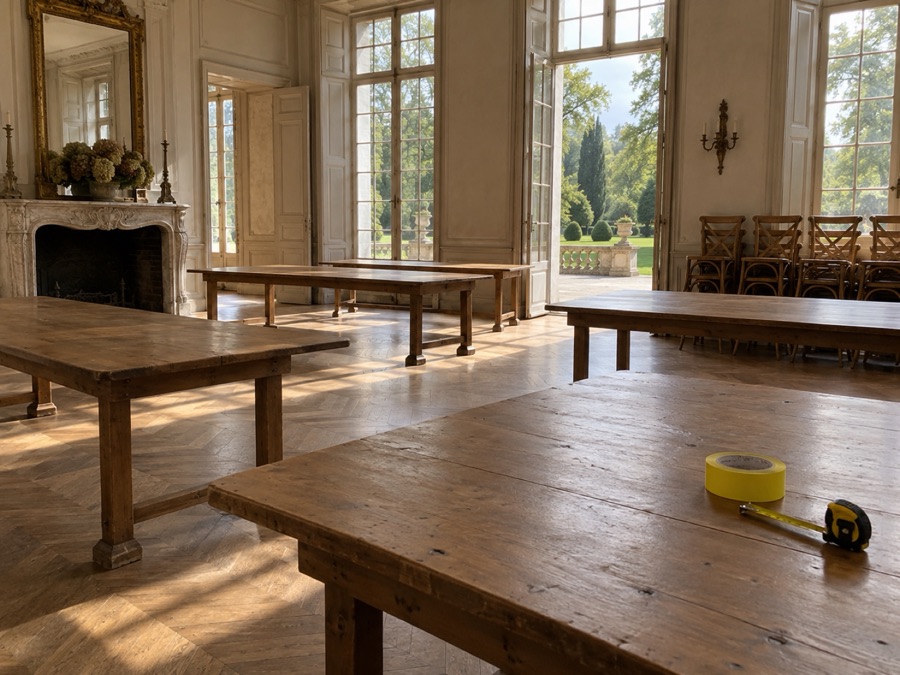
Site scouting report

Events

Event organisers, wedding planners, caterers

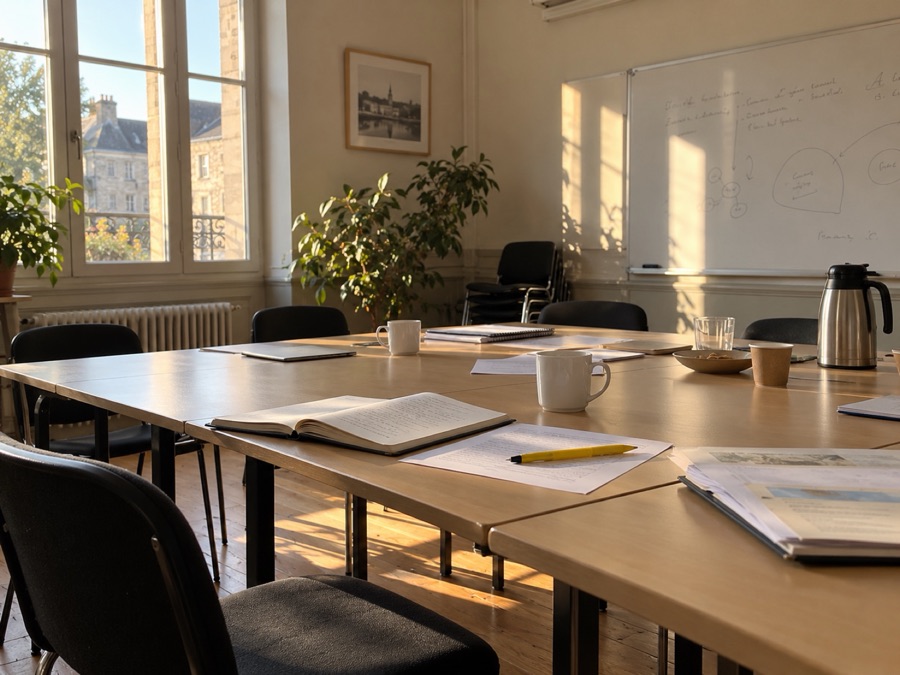
Meeting minutes

Associations and committees

Association boards, steering committees, project teams

And you? Whenever a visit or a meeting deserves a report, Trame prepares it.

In three steps

Gather. Check. Send.

1

Gather your material

Import a WhatsApp chat, take a photo of your handwritten notes, dictate your visit or type your items. It all comes together in the same report.

2

AI puts it in shape

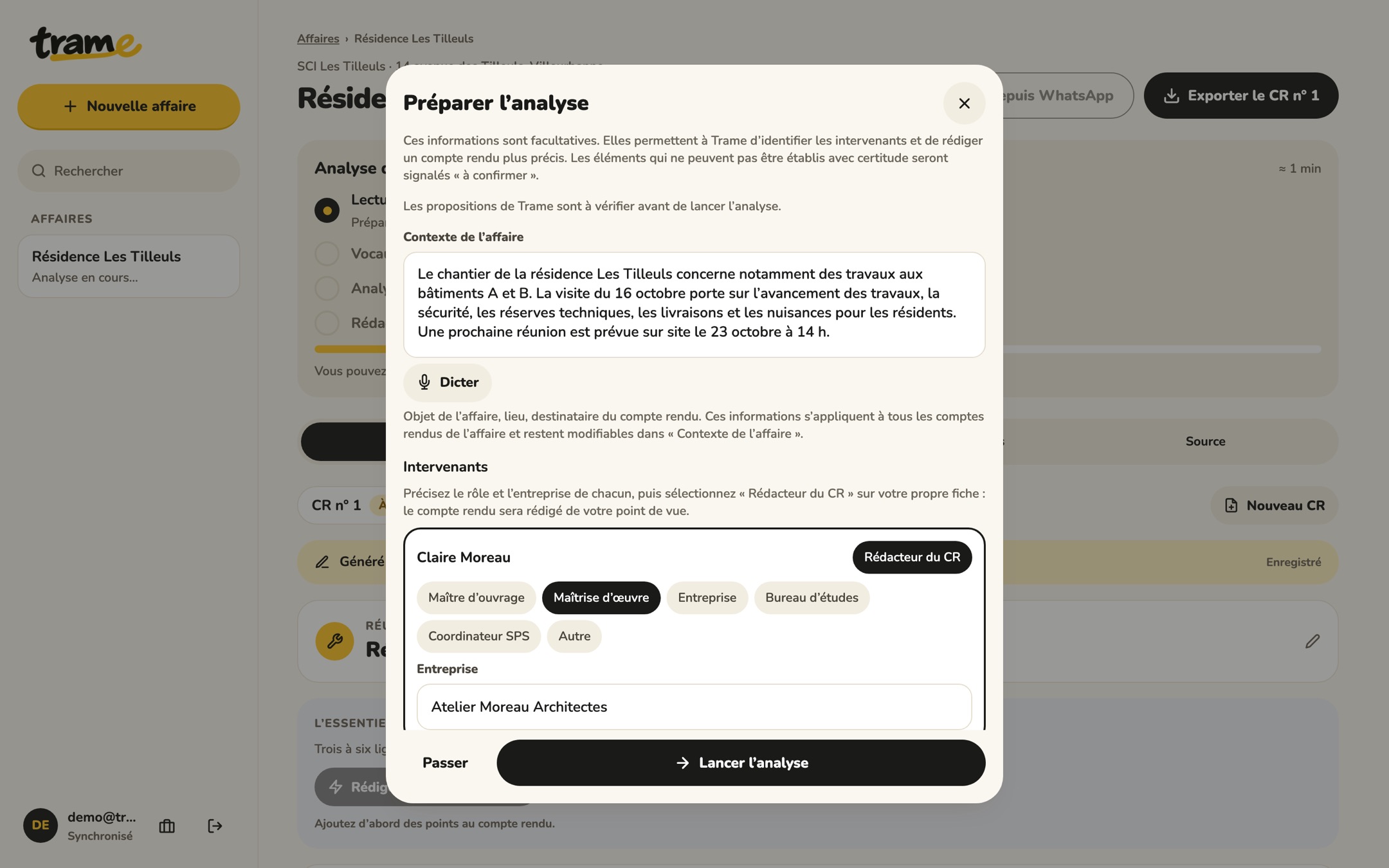
Trame works out who is who, then writes clear, numbered items sorted by section. You check the context once: for the next reports on the project, it is already known.

Prepare analysis window: suggested context and roles of the people involved
3

Review and send

Tick what has been resolved, add a photo, then export as PDF or Word. Choose the recipients: Trame prepares the email.

From one report to the next

Report no. 2 knows what no. 1 said.

Open items come back with their number. Resolved items appear struck through, and the history stays available. Attendees, roles and sections are not asked again.

AAtelier Moreau ArchitectesReport no. 1
16/10/2026
Site meeting no. 1
R1

Concrete pour of the 2nd floor slab planned on Wednesday 21/10, subject to the inspection body.

Planned for 21/10Karim Benali
R2

Crack on the north facade, plaster tell-tale fitted on 16/10, to monitor.

To monitorClaire Moreau
R3

Temporary guardrails missing on the 3rd floor, courtyard side. Reinstallation announced.

To confirmKarim Benali
R4

RAL 7016 chosen for the windows of building B.

AgreedDecision
AAtelier Moreau ArchitectesReport no. 2
23/10/2026
Site meeting no. 2
R1

2nd floor slab poured on 21/10 after approval by the inspection body.

Resolved on 21/10Karim Benali
R2

Crack on the north facade: tell-tale intact on 23/10, monitoring continues.

Carried over from report no. 1Claire Moreau
R3

3rd floor guardrails reinstalled on 16/10, confirmed by Karim Benali.

ResolvedKarim Benali
R5

Delivery of the windows for building B planned on 28/10.

NewNadia Roux

Agreed decisions, such as R4, stay in the project history.

Web and mobile

One report, on all your screens.

The same project follows you from the site to the office. Without a connection, your entries stay on the device; syncing and AI resume as soon as you're back online.

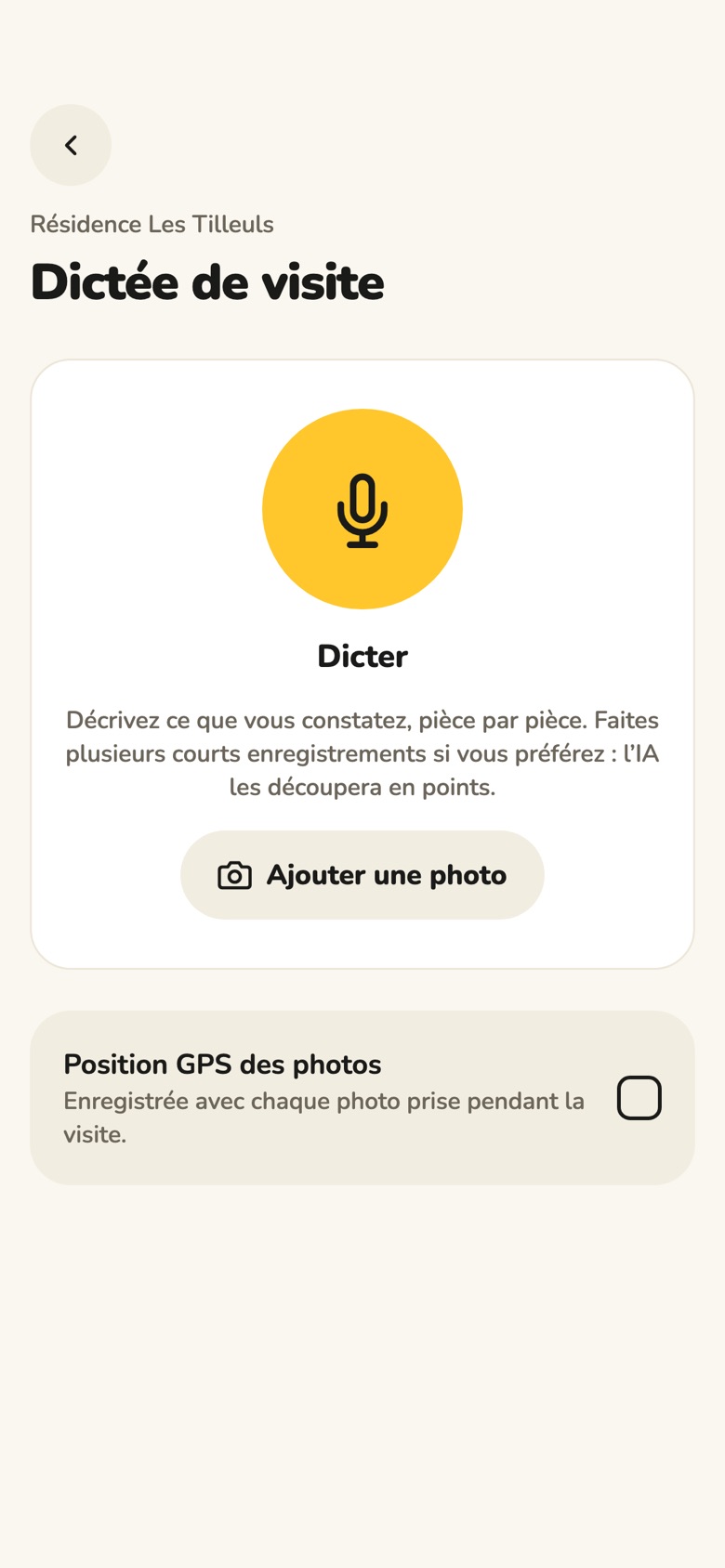
Visit dictation on a phone

Dictate the visit, take photos, it's sorted.

  • Speak room by room: the AI splits the dictation into items sorted by section, which you approve.
  • Photos attach to the right item, with the time and location if you allow it.
  • Without a connection, your items and photos stay on the phone and go out as soon as you're back online.
SyncedWhat you enter on site is at the office when you get there.
OfflineYour entries stay on the device until they are saved online.
Nothing to install at the officeA browser is enough to review, export and send.
Features

Everything a report needs, nothing more.

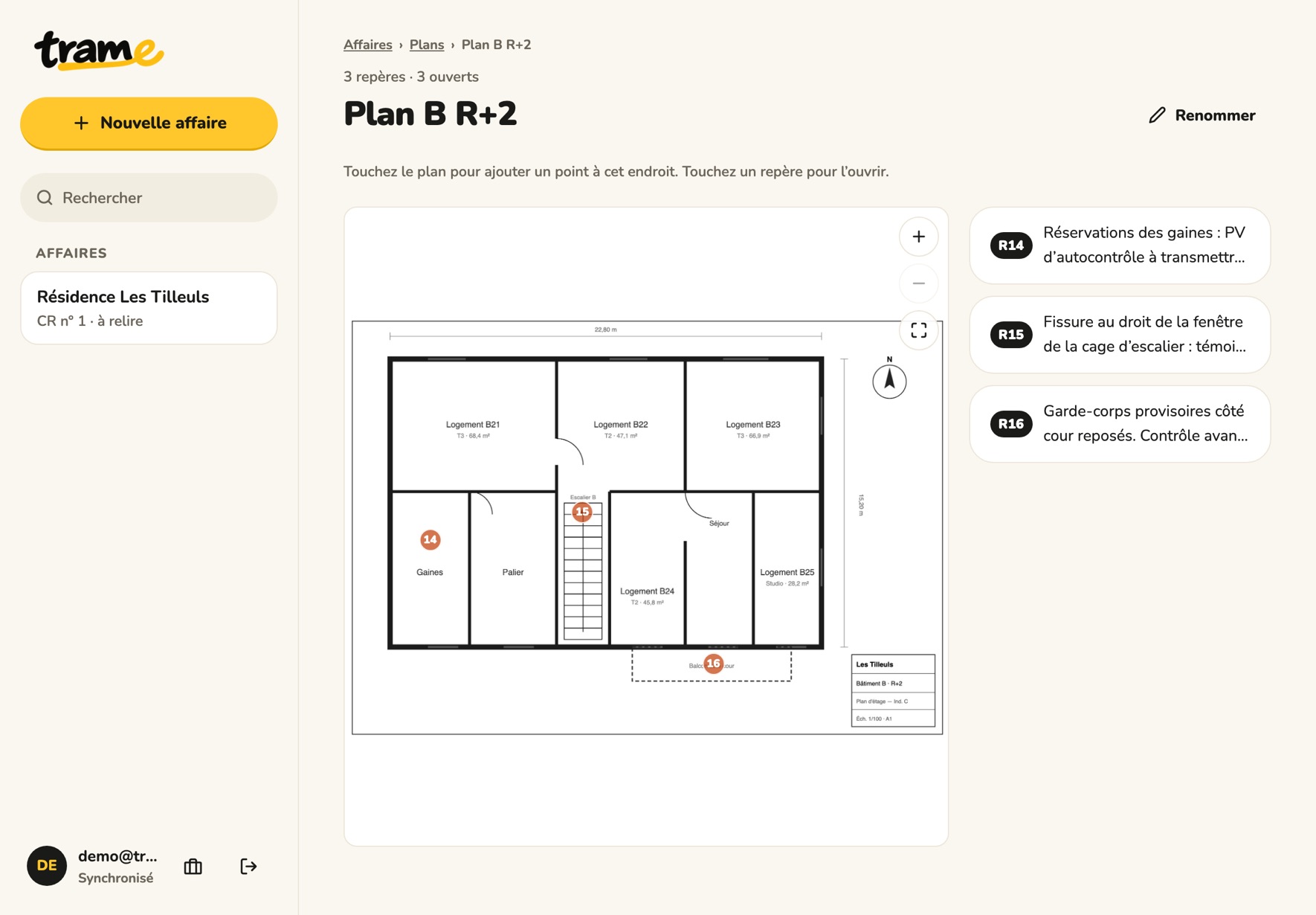
Pins on your plans

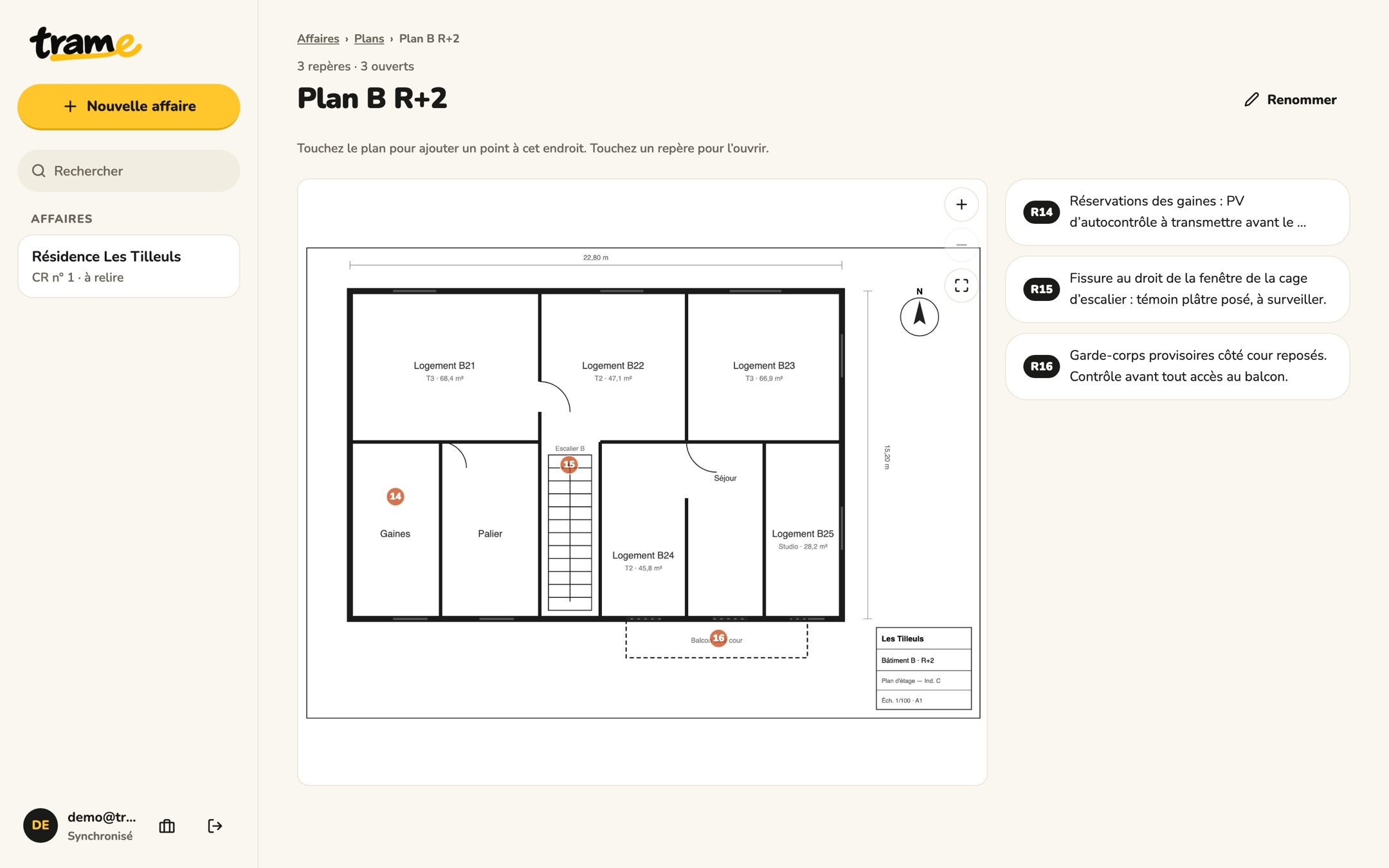
Import the plan as a PDF, tap the spot: the item is created, at the office or on site with your phone. The pins come back in the PDF appendix.

Floor plan of building B with pins 14, 15 and 16

The source at hand

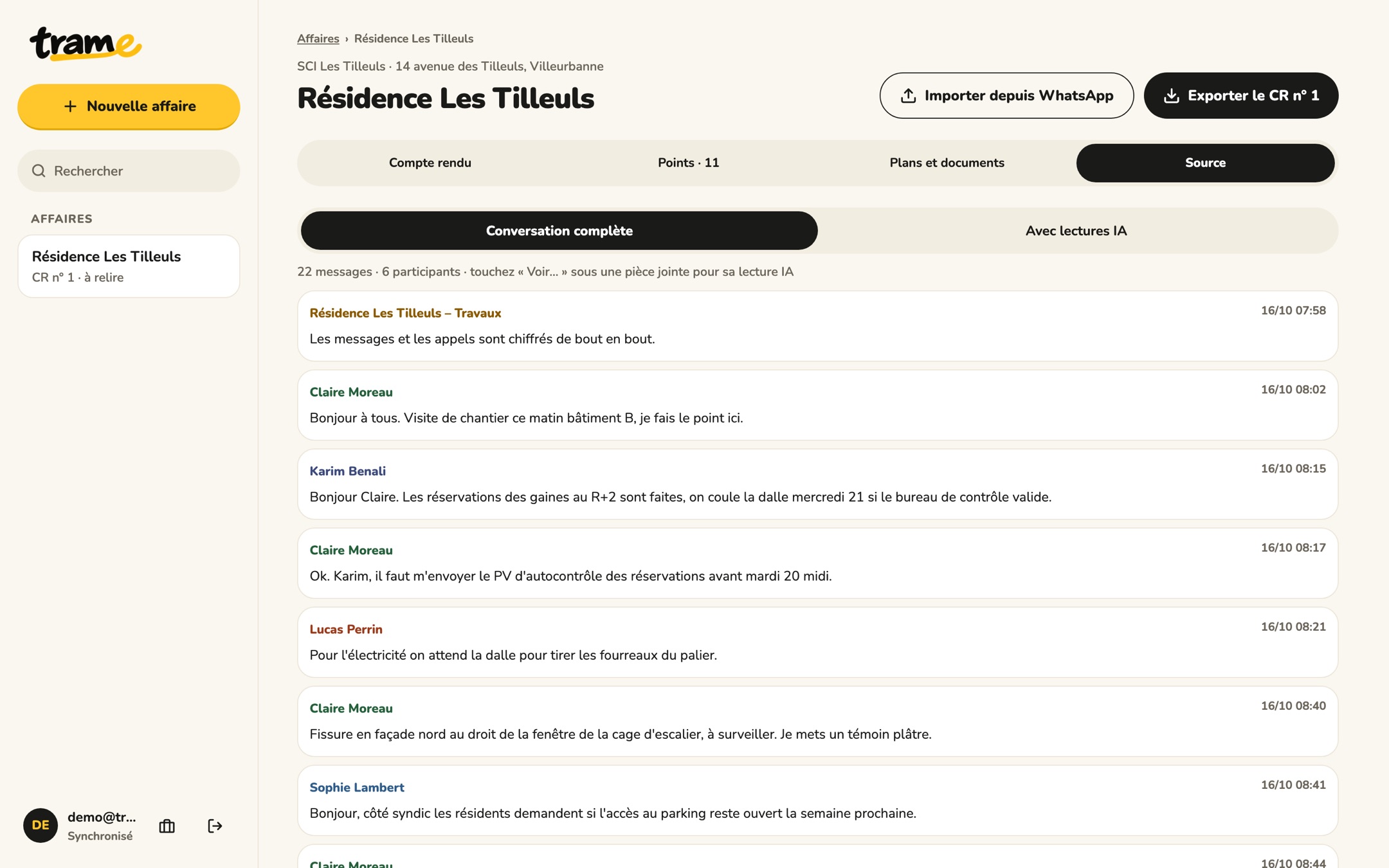
The full conversation stays in the project. In doubt about an item? The original message is right there.

Source tab: the full conversation, message by message

Sorted by section

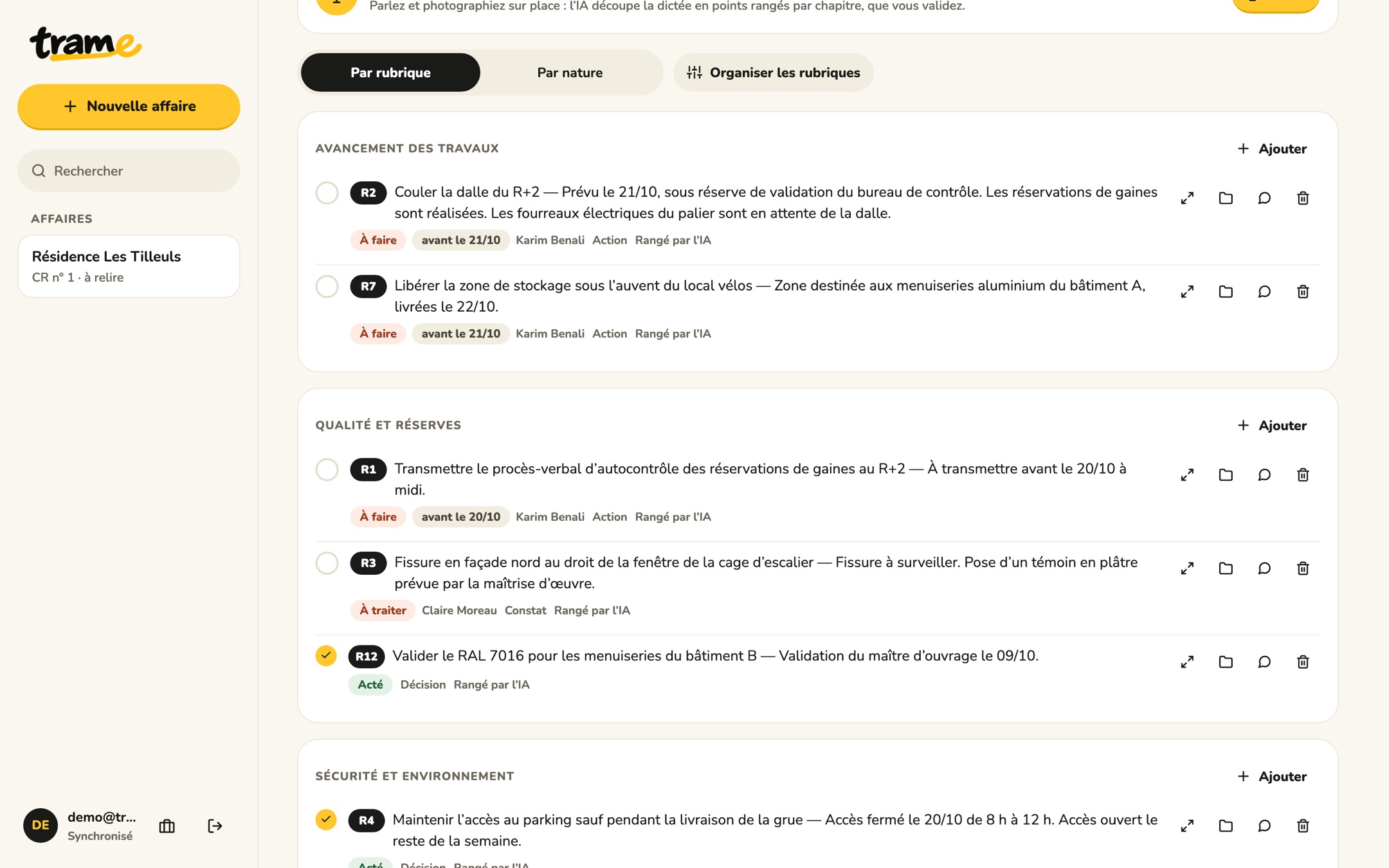
Progress, snags, safety, schedule. You keep your own sections from one report to the next.

Items sorted by section: Progress of works, Quality and snags

The deadlines that matter

At the top of the report, what is coming due, with who is responsible.

To monitor · 4 deadlines in the next 3 days
Self-inspection report for the openings 20/10 noon
Clear the storage area 21/10

PDF, Word and item table

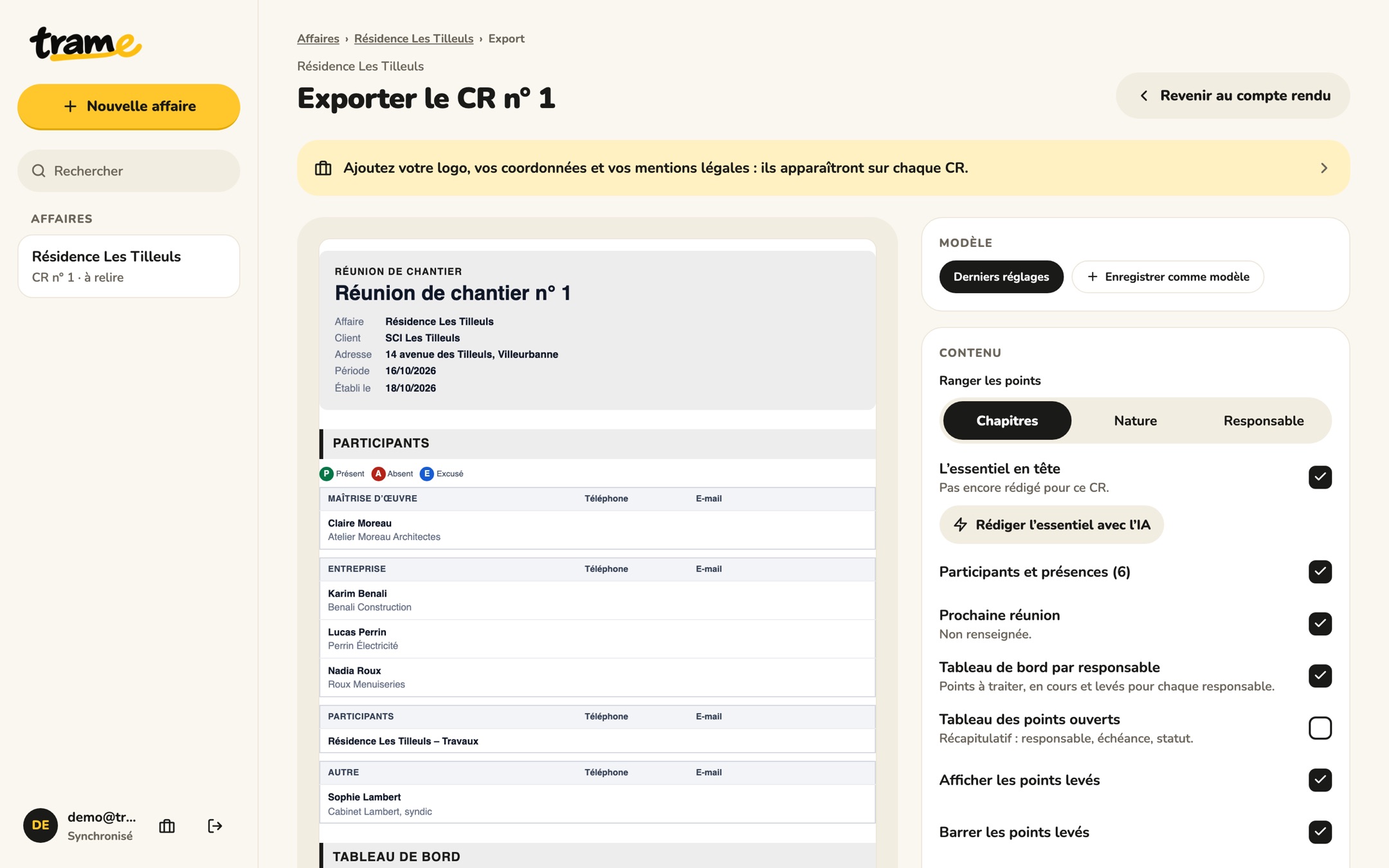
A PDF with your letterhead, an editable Word file, the item table compatible with Excel. Choose the recipients: Trame prepares the email, your recipients don't need an account.

Send to✓ Client✓ Contractors✓ Inspection bodyArchive
PDFWith your letterhead
WordEditable
CSVExcel compatible
The document

A PDF your clients read to the end.

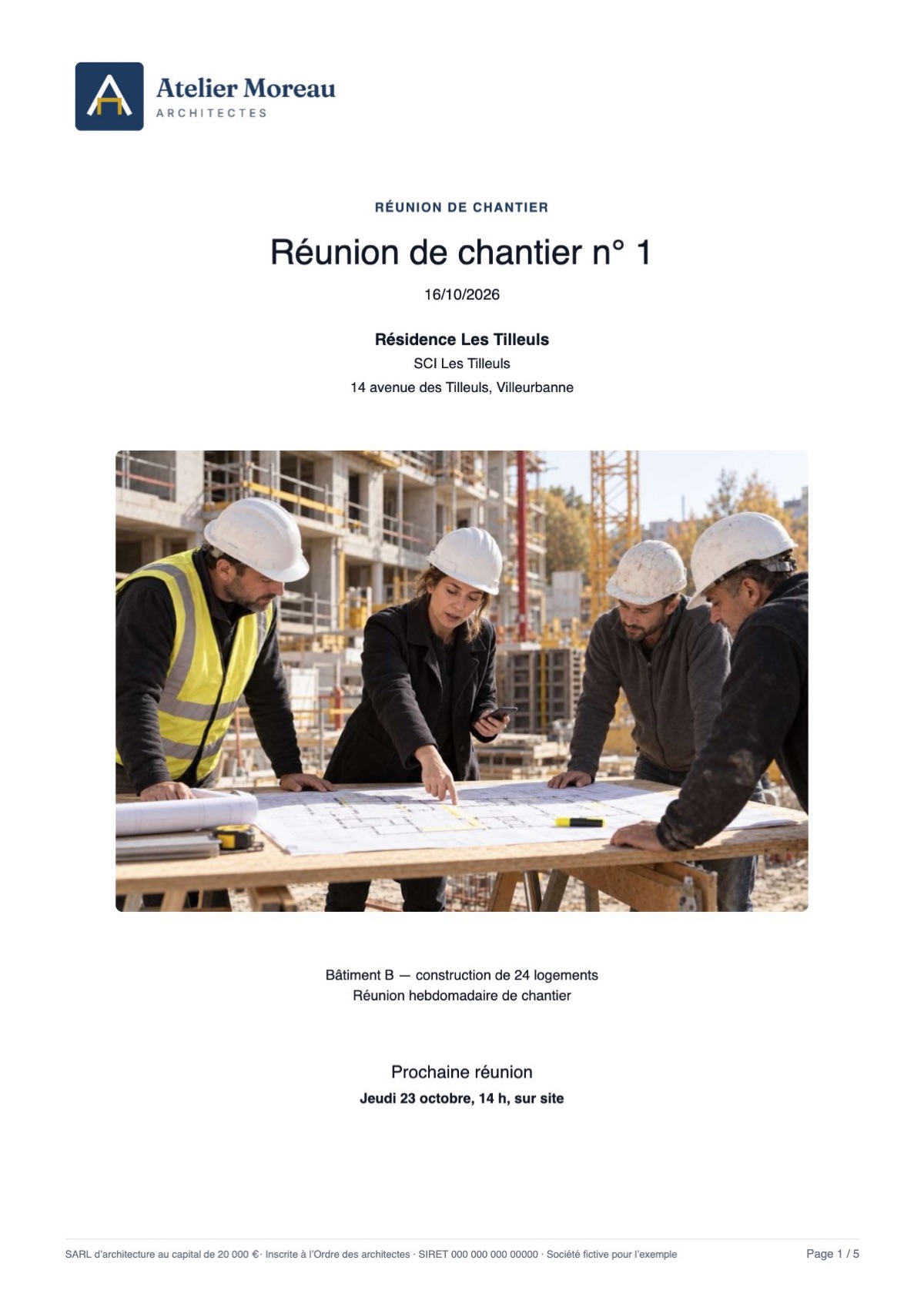
  • Cover page with a photo, a plan page or your own image.
  • The essentials up front: decisions, urgent matters and upcoming deadlines.
  • Attendees and attendance, dashboard by owner.
  • Plans in the appendix with pins, photos in the items.
See a sample report (PDF)
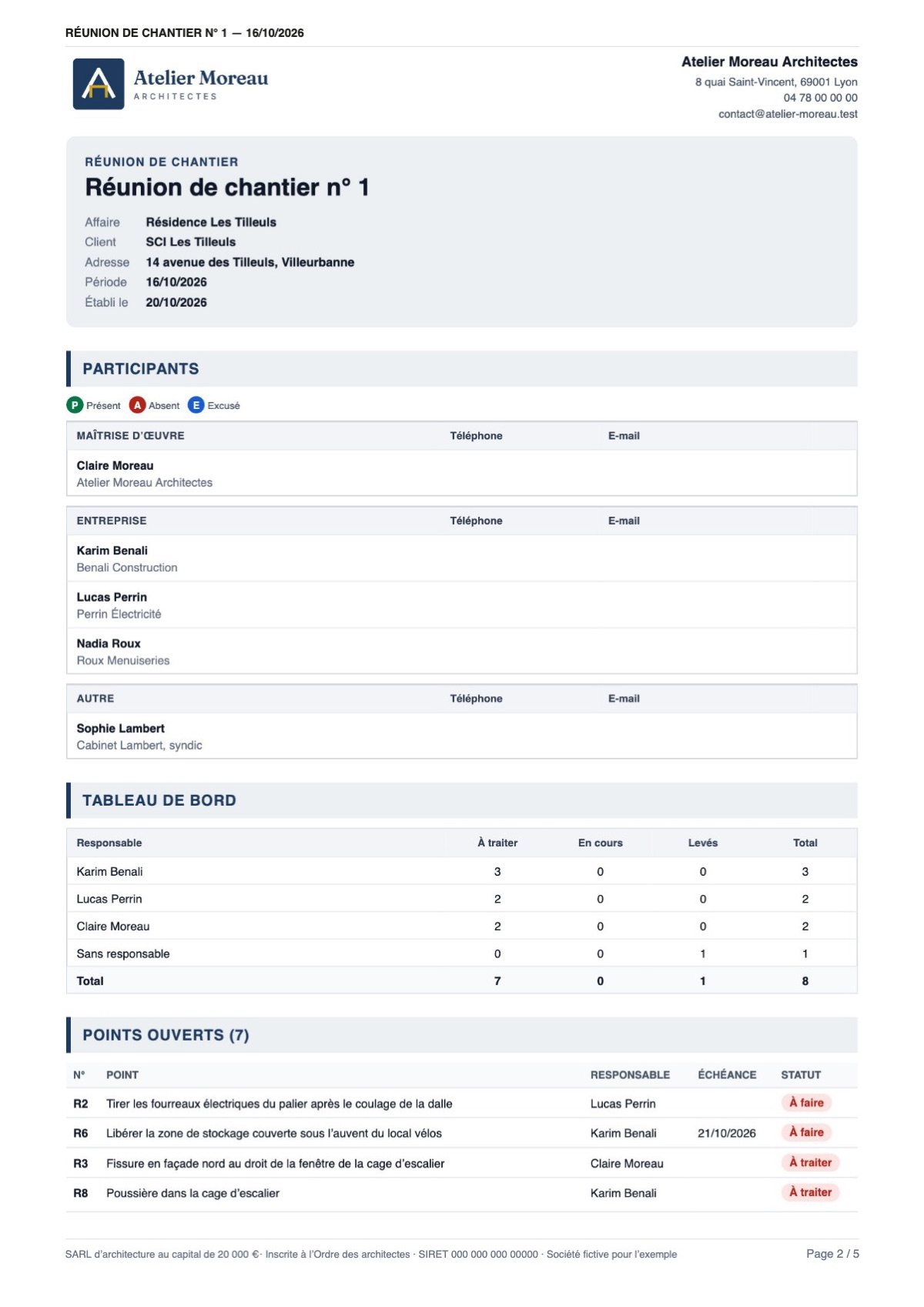
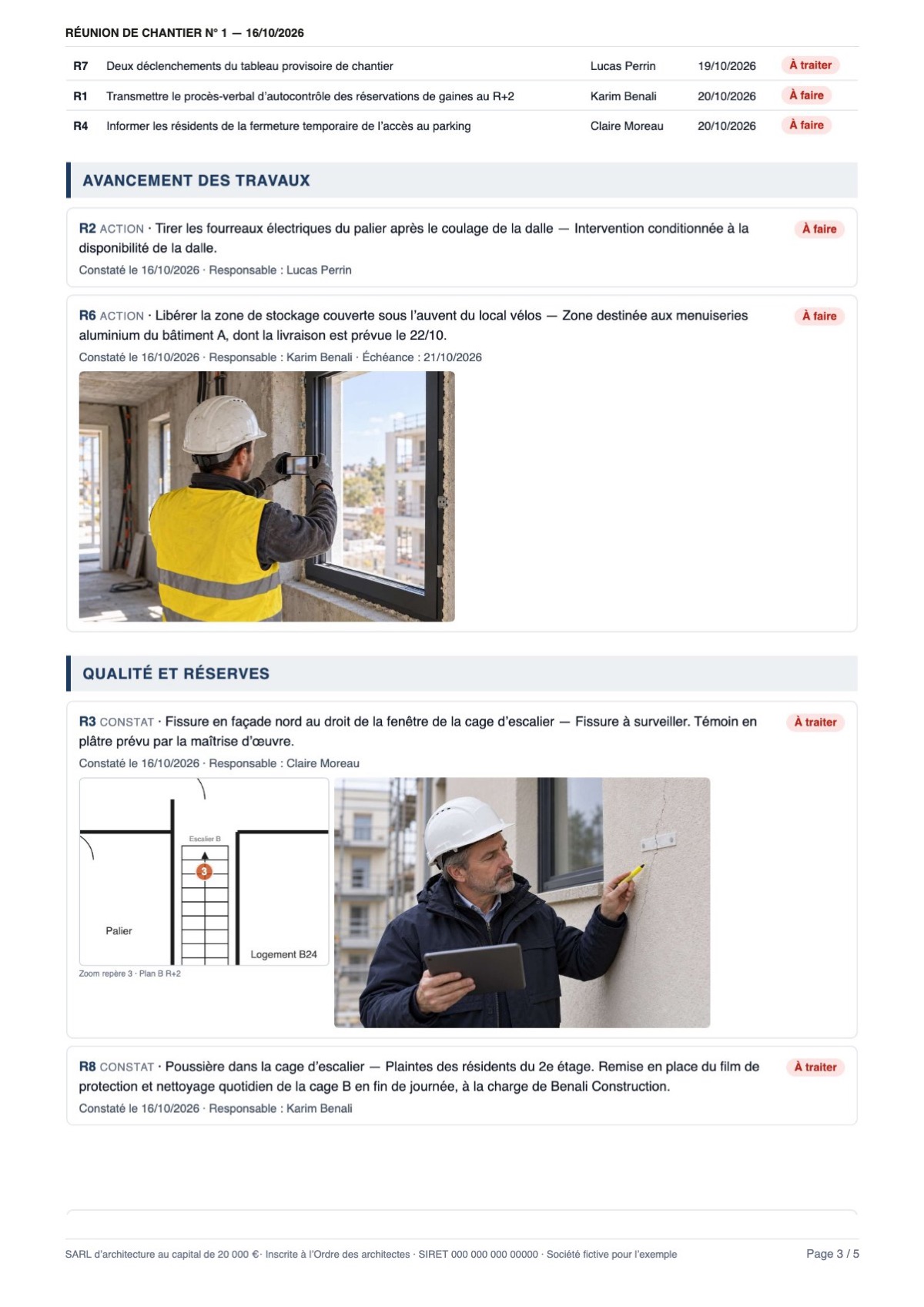
Cover page: company logo, title, project, photo and next meeting Header, attendees, dashboard and open items Items sorted by section, with photos and plan zoom
Pricing

Simple, no commitment.

A one-off report or dozens a month: choose the plan that suits you. AI drafting is included in every plan.

BetaDuring the beta, everything is free, no credit card needed. The prices below will apply afterwards, and you'll be told in advance.

Starter
€0forever

For a report every now and then.

  • 3 reports per month
  • WhatsApp, photo of notes, dictation and manual entry
  • PDF export
Start for free
Recommended Solo
€19excl. VAT per month

For a professional who reports back every week.

  • Unlimited reports
  • PDF with your letterhead, Word and table
  • Follow-up from one report to the next, plans and pins
  • Recipients without an account
Try Solo That's €228 excl. VAT per year
Team
€69excl. VAT per month, 5 users

For a firm or an agency that shares its projects.

  • Everything in Solo, for 5 people
  • Shared projects, contacts and letterhead
  • Shared report templates
  • €12 excl. VAT per extra user
Try Team That's €828 excl. VAT per year

More than 20 users, custom templates or invoiced billing? Let's talk. In every plan: your data stays yours, exportable at any time.

Security

Your files protected, your entries saved.

Your projects hold names, addresses and binding decisions. Here is what Trame does to protect them.

Entries saved

A photo or a note stays on the device until it is saved online, even without a connection. If the report changed elsewhere, Trame merges item by item instead of overwriting.

What goes to the AI

Only what you ask to analyse (imported chat, dictation, item to rephrase) is sent to the AI service that drafts. Trame has no access to your WhatsApp account.

Backups

Your data is backed up every day and can be restored if something goes wrong.

Protected access

Your projects only open from your account. On the web, signing out clears the data from the browser.

Questions

Frequently asked questions

Can I create a report without WhatsApp?

Yes. Dictate your visit or type your items: Trame drafts and sorts them the same way. WhatsApp is one source among others, and all of them can be combined in the same report.

Can I do just one report, without following a project?

Yes. A one-off visit, meeting or service call is enough. If the project continues, the next report picks up the open items.

What happens to an unresolved item in the next report?

It comes back with its number. When you tick it as resolved, it appears struck through in the report, and its history stays available.

Do my recipients need a Trame account?

No. They receive the PDF or the Word file like any other document. On the web, Trame prepares the email and downloads the PDF: you just attach it.

How do I export a WhatsApp chat?

On iPhone: open the group, tap its name, then Export Chat and Attach Media. On Android: ⋮ menu, More, Export chat. Then share it to Trame, or drop the file on the web version.

Does Trame read my conversations continuously?

No. Trame only reads the export you import yourself. No permanent connection to your WhatsApp account.

Can I correct the report before sending it?

Yes. Each item can be edited, moved or deleted, and the exported Word file stays fully editable. You mark the report as sent yourself.

What do I need to work offline?

Without a connection, you can enter items and take photos: everything stays on the device. Importing, AI drafting, dictation transcription and syncing need a connection.

What are the limits of the beta?

The number of projects and reports is not limited. AI drafting and dictation have a usage cap to keep the service free; Trame tells you if you reach it.

What about Android?

The Android app is on its way. In the meantime, Trame works in your phone's browser, with the same projects.

Do I need a WhatsApp Business account?

No. A standard export of a group chat is enough.

Your next report starts here.

Import your chats, dictate your findings or start from your notes. Trame prepares a document to review and send.

Trame on the web and on mobileSee how